Most web copy is fine. It’s grammatical, it’s on-message, it covers the right ground. And it still doesn’t perform. The gap between fine and effective isn’t usually a writing problem. It’s a decision problem. What to lead with, what to cut, what to ask the reader to do next.
If you write or oversee content for your organisation, you’ve probably seen the pattern. A page gets signed off by half the business, every team gets their paragraph, and what lands on the site reads like a committee wrote it. Because one did.
Here are 10 fixes that move web copy from good to amazing. They’re practical, they’re repeatable, and they’re what we apply when we work with in-house teams on their content.
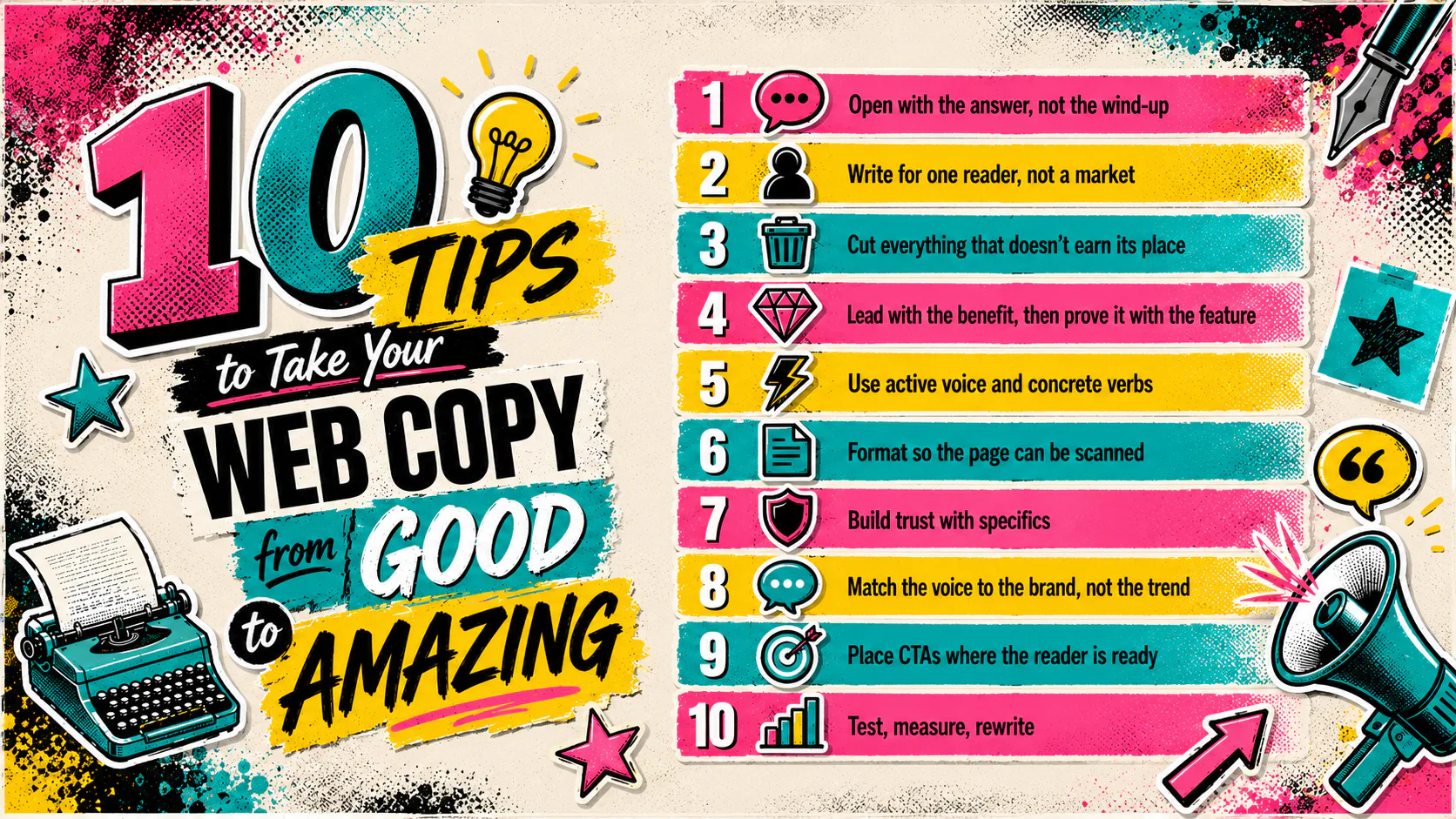
1. Open with the answer, not the wind-up
Your reader landed on this page because they have a question. Answer it in the first two lines. Not after a paragraph about your industry. Not after a setup about how things have changed. Straight away.
The “wind-up” intro is the single most common problem we see when we audit client copy. It usually starts with something like “In today’s competitive market…” and by the time the reader reaches anything useful, they’ve gone. Cut the wind-up. Start with the topic.
This matters even more now that AI search engines pull short answers from the top of your page. If your first sentence buries the point, neither humans nor machines will find it.
2. Write for one reader, not a market
Decide who you are writing for and write to that person. A finance director reading a page about cost reduction wants different evidence than a developer reading about the same topic. Generic copy that tries to speak to both ends up speaking to neither.
Pick the reader. Write the page for them. If you need to address a second audience, give them their own page.
3. Cut everything that doesn’t earn its place
Edit harder than you think you need to. When a sentence repeats the previous one in different words, delete one of them. Caveats that walk back the point you just made should come out too. And if a heading exists only because the document outline needed something there, lose the heading.
Short doesn’t mean shallow. It means every word is doing a job. A 300-word page that answers the question is better than 900 words that circle it.
Two quick examples of cuts:
- “It’s important to back up your files to avoid data loss” becomes “Back up your files. Often.”
- “Our team is committed to providing high-quality service” becomes nothing. Delete it. Everyone says this.
4. Lead with the benefit, then prove it with the feature
Features are what your product does. Benefits are what your reader gets. Readers want the second, but they need the first to believe you.
The mistake teams make is choosing one or the other. The fix is to lead with the benefit and immediately back it up with the feature that delivers it.
So not “Our smartwatch has a heart rate monitor, sleep tracker and step counter.” And not just “Track your health effortlessly.” The version that converts puts them together. “Track your heart rate, sleep and steps from one place. Three sensors, one watch.”
The reader knows what they get and how it works in one breath.
5. Use active voice and concrete verbs
Active voice gives copy energy. It also makes responsibility clear, which builds trust. “Mistakes were made” is corporate-speak for “I made a mistake and don’t want to say so.”
Watch for hedge verbs too. “Can help you save time” is weaker than “saves you time.” If you can’t say the stronger version honestly, the claim probably isn’t true. Find a different claim.
6. Format so the page can be scanned
Most readers don’t read web pages. They scan them, decide whether the page is worth reading, then read the bits that matter to them. Format for that behaviour, not against it.
A few things that help:
- Subheadings that actually describe the section, not clever but vague labels
- Short paragraphs (three lines is plenty for most points)
- Bullet lists for genuine lists, not for sentences you broke up
- Bold used to mark one or two key terms per section, not as decoration
If a reader can skim your headings and bullets and still get the gist, the page is doing its job.
7. Build trust with specifics
Vague claims read as marketing. Specific claims read as fact. “Trusted by businesses across Australia” is a marketing claim. “Used by 240 Brisbane businesses since 2019” is a fact.
If you have numbers, names or dates, use them. If you don’t, write the sentence without the claim rather than with a soft version of it. Empty trust signals do more harm than no trust signals. Your reader notices.
The same applies to testimonials. A quote attributed to “a happy client” is worth nothing. A quote with a name, role and company is worth reading. If the client won’t go on the record, leave the quote off.
8. Match the voice to the brand, not the trend
Brand voice is a real thing, not a style guide on a shelf. If your brand is warm and direct, your copy should be too across every page, including the ones nobody thinks of as “brand pages.” Terms and conditions, error messages, and the unsubscribe page. These are all places where voice slips, and readers notice.
Write the way your business actually talks to its best clients.
9. Place CTAs where the reader is ready
A call to action only works when the reader is at the point of acting. One CTA at the bottom of a long page assumes the reader makes it that far. Most won’t.
Put a CTA after the section where the reader is most likely to be convinced. That’s often around two-thirds of the way down, past the proof points and before the FAQ. For longer pages, repeat it. For shorter pages, one well-placed CTA is enough.
The label matters too. “Submit” tells the reader nothing. “Book a 15-minute call” tells them exactly what happens next. Specific labels convert better.
10. Test, measure, rewrite
Web copy is never finished. It’s published, measured and improved. If you don’t know which headline performs better, you’re guessing. And guessing on the home page is expensive.
Pick the page that matters most. Set up the analytics so you can see what people do on it. Try a different headline, a different opening line, a different CTA position. Watch what happens for two weeks. Keep the winner.
Put Your Web Copy to Work
Improving web copy isn’t a single big project. It’s a habit of small edits, regular tests, and honest reviews of what’s working. Start with the page that matters most and apply two or three of these ten. You’ll see the difference before you finish the rest.
If you want a second set of eyes on your content, Mettro’s content marketing team works with in-house marketing teams on exactly this.
Talk to us about your content.