A website brief is a written document that tells your design and development team what you want your website to do, who it’s for, what it should look like and what success looks like once it’s live. It’s needed whether you’re hiring an agency, an in-house team or building the site yourself.
Why the Brief Matters More Than People Think
A well-defined brief is crucial for project success, and issues in this early stage can lead to complications later on.
When the brief is vague, every decision downstream becomes a guessing game. The designer guesses what you meant by “modern”. The developer guesses how many product categories you’ll need. The copywriter guesses your tone of voice. Each guess that lands wide of the mark turns into a rework, and reworks are where budgets quietly disappear.
A solid brief solves three problems at once.
It saves money. Quotes are built off the brief. The more accurate the brief, the more accurate the quote. Vague briefs get padded estimates or, worse, sharp estimates that blow out later.
It protects the build. Mid-project scope changes don’t just cost extra hours. They mean new code grafted onto old, content that ends up in the wrong place, integrations that need to be re-tested, and timelines that slip.
It gets everyone on the same page. You, your internal stakeholders and your build team all need to be looking at the same picture. The brief is that picture.
You don’t need to know the answers to every technical question. You do need to know what you want the site to do for your business.
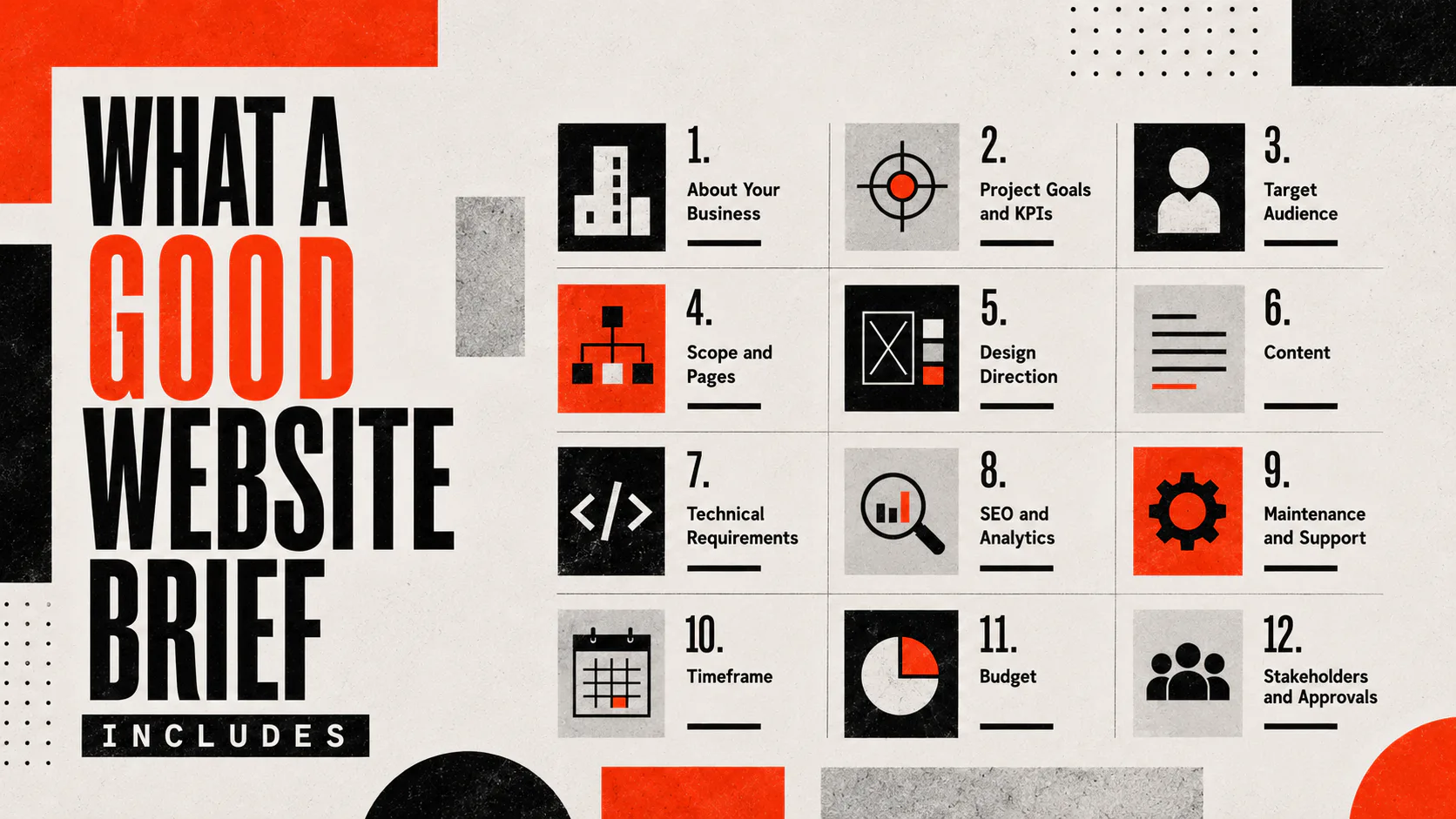
What a Good Website Brief Includes
A website brief is a single document covering business context, project goals, design direction, content, technical requirements and budget. It works as a shared reference for everyone involved.
Below are the twelve sections every brief should have. Treat them as a checklist. Some will need a paragraph, others a couple of lines, and a few will need real thought.
1. About Your Business
Start with the basics. What does the company do? Who are the customers? What makes you different from your competitors? If you have a positioning statement, brand values or a tone-of-voice guide, include them.
Your design team isn’t going to know your industry as well as you do. The more context they have, the fewer assumptions they make.
2. Project Goals and KPIs
Write down what the website is for. Not in marketing language. In plain measurable terms.
“Generate 30 qualified leads a month through the contact form.” “Reduce phone enquiries by routing customers to a self-service portal.” “Sell our top 50 SKUs online with a target average order value of $180.”
If you can’t measure it, you can’t tell whether the site worked. Goals shape every decision the team will make, from the homepage layout to the checkout flow.
3. Target Audience
Describe the people you’re trying to reach. Demographics help, but behaviour matters more. Are they researching for weeks before buying, or making a quick decision? How comfortable are they online? Do they need a lot of hand-holding, or do they want to get in and out quickly? Are most of them on mobile or desktop?
If you’ve got customer personas, attach them. If you don’t, a couple of paragraphs sketching out two or three typical customers is enough.
4. Scope and Pages
List every page and major feature you think the site needs. Keep it as a sitemap or a simple bulleted list. Be honest about anything that’s a maybe.
Include any functionality that goes beyond standard content pages. Booking systems, member logins, payment gateways, search filters, and integrations with your CRM or accounting software. Anything that needs to talk to another system needs to be flagged here.
5. Design Direction
This is where most briefs get vague. “Clean, modern and professional” tells your designer almost nothing.
Better: link to three to five websites you like and explain what you like about each one. Link to two you don’t and say why. Note any non-negotiables on the brand. Attach your logo, colour palette, typography and any existing brand guidelines.
If you don’t have a brand, say so. It’s a different scope of work, and the team needs to know upfront.
6. Content
Content is where most website projects stall.
Decide now who is writing the copy. If it’s you, block out time for it in the schedule. If it’s the agency, scope it into the brief and the budget. Same for photography, video and any other visual content. If you’re using stock images, allow for licensing fees.
A site can’t launch without content. The brief is the place to decide where that content is coming from.
7. Technical Requirements
Cover the technical side even if you’re not technical. Your team will fill in the gaps.
Mention your current website host, domain registrar, and email setup. Note any platforms the new site needs to integrate with. CRM, email marketing, ecommerce, inventory, ERP. Flag any compliance requirements, like accessibility standards or industry-specific regulations.
If you want to manage the content yourself, say what you’ll be updating and how often. That shapes the build of the CMS.
8. SEO and Analytics
Note your current organic traffic if you know it, the keywords you want to rank for, and whether SEO is part of the project or something you’ll handle separately.
Mention any existing analytics setup. Google Analytics, Search Console, tag manager accounts — whatever you already have running. New sites need a clean handover here or you lose historical data.
9. Maintenance and Support
Once the site launches, who is going to look after it? Plugins need updating, security patches need applying, and content needs refreshing. Decide upfront whether your team will handle this or whether you want an ongoing support arrangement.
This is one of the most commonly skipped sections, and one of the most expensive to fix after launch.
10. Timeframe
Set a realistic target launch date. If there’s a hard deadline, such as a product launch, a campaign, or the end of the financial year, say so and explain why. Real deadlines shape priorities. Soft deadlines drift.
Build in time for content gathering, stakeholder review and revisions. Sites with multiple decision-makers always take longer than sites with one.
11. Budget
Put a number in. A range is fine. “We’d like to spend $30k to $50k and need to know what’s realistic at each end” is a useful brief. “We’re not sure yet” isn’t.
A budget isn’t a ceiling. It’s information. It tells your team what’s possible and forces an honest conversation if your scope and your spend don’t match.
12. Stakeholders and Approvals
Name the people involved. Who is the decision-maker? Who provides input but doesn’t sign off, and who just needs to be kept informed?
The approval chain matters. A brief that goes through seven rounds of internal review will produce a different project than one with a single owner.
What to Leave Out
A good brief is concise. Internal debate, half-formed ideas and competing opinions belong in your team’s working document. They don’t belong in the brief you send to your build team. By the time it lands with the agency, the brief should be agreed upon internally.
If you need an opinion from your build team, flag it clearly. “We’re undecided between WordPress and Webflow. We’d like your recommendation based on our requirements.” That’s useful. A brief riddled with maybes and asides is not.
Common Mistakes to Avoid
A few patterns come up in weak briefs.
The copycat brief. Pointing at a competitor’s site and saying “we want one of those” without acknowledging that their site costs ten times your budget. Reference sites are useful, but reference what specifically you like about them, not the whole thing.
The wish-list brief. Listing every feature you’ve ever seen on any website without ranking what matters. Your build team can’t prioritise if you haven’t.
The no-budget brief. Skipping the budget conversation because you “want to see what they come back with”. You’ll get back a vague quote, or three quotes you can’t compare, and waste a fortnight in the process.
The “we’ll sort it later” brief. Leaving content out of scope because you’ll write it during the build. Content delays are the single most common reason website projects slip.
The leaderless brief. No named decision-maker, so feedback comes in from five people with different opinions, and nothing gets approved.
If your draft has any of these, fix them before the brief goes anywhere. A clear brief saves time on both sides, keeps the quote accurate and cuts down on the back-and-forth once the build starts.
How to Use the Brief Once It’s Written
A brief isn’t a one-and-done document. Treat it as a working reference for the whole project.
Walk through it with your build team at kick-off. They’ll have questions, and the brief will evolve. That’s expected. Lock the updated version once everyone is aligned, and refer back to it any time a scope question comes up.
If a request falls outside the brief, that’s a scope change. Not a problem in itself, but worth flagging so the impact on time and budget is clear.
Before You Send It
A quick checklist before the brief goes anywhere.
Have you covered all twelve sections? Is the budget in there? Is there a single named decision-maker? Are you being honest about who’s writing the content? Read it back as if you knew nothing about your business. Does it still make sense? If yes, send it.
Talk to us about your website.