WooCommerce is a free, open-source plugin that adds ecommerce functionality to a WordPress site. It works by installing into an existing WordPress install and bolting on the parts you need to sell online. That covers product pages, a cart, checkout, payment gateways, shipping rules, and order management.
If you already have a WordPress site, you don’t need to rebuild from scratch to start selling. You install the plugin, configure your products, and you have a store.
How WooCommerce Works
WooCommerce sits inside your WordPress install as a plugin. Once activated, it adds new sections to your admin dashboard for products, orders, customers, coupons, reports and settings. It also extends your site’s front end with templates for product pages, category pages, the cart and checkout.
The plugin runs on your hosting, which means you’re in control of your data, your store’s appearance, and how it connects to other tools.
That control is the central trade-off in choosing WooCommerce. You get full ownership of the build. But you also carry the responsibility for hosting, security, updates and performance. For an existing WordPress site owner, that’s usually a familiar trade.
Who WooCommerce Suits
WooCommerce makes the most sense in three situations.
You already run a WordPress site with traffic, content, or a customer base, and you want to start selling without migrating to a separate platform. Installing the plugin is the lowest-friction path from content site to online store.
You want control over how your store looks and behaves. WooCommerce doesn’t lock you into a template system or a fixed checkout flow. You or your developer can change almost any part of it.
You’re selling something that doesn’t fit a standard product model. Bookings, subscriptions, memberships, digital downloads, services, mixed catalogues, complex shipping rules. WooCommerce handles all of it, usually through an extension.
If none of those applies, a hosted platform like Shopify may suit you better. We’ve covered that comparison in detail in our WooCommerce vs Shopify article.
What You Get Out of the Box
A fresh WooCommerce install ships with enough functionality to run a working store. You can list products, manage stock, accept payments, ship orders, and track sales without paying for a single extension.
Product management
You can sell physical products, digital downloads, virtual services, and affiliate products. Each product can have variations like size, colour or style, with separate prices, stock levels and images for each variation. Bulk product updates work through CSV import and export, which saves a lot of manual data entry on larger catalogues.
Product pages support unlimited images and image galleries. You can tag products, group them into categories, and let customers sort by price, popularity, rating or newest. Reviews appear on the product page itself, so social proof shows up where it matters.
Checkout and payments
The default checkout supports guest purchases and account creation, with a sensible flow that doesn’t force customers through unnecessary steps. Stripe, PayPal, credit card payments and cash on delivery are supported natively. More payment gateways are available through extensions, including Square, Afterpay and Klarna for buy now pay later.
Shipping
You can offer pickup, local delivery and shipping, with rules that restrict each option by location. Flat rates, per-product rates, free shipping thresholds and calculated rates based on a customer’s address are all supported. WooCommerce can auto-detect customer locations to show accurate shipping costs at the cart stage rather than waiting until checkout.
Inventory and orders
Stock tracking is built in. You can hold stock when an order is pending, hide products that are out of stock, set low-stock thresholds and get notified when items run low. Orders include customer notes, manual stock adjustments, shipping status and fulfilment tracking.
Coupons and promotions
You can offer percentage discounts, fixed-amount discounts, free shipping coupons, buy-one-get-one offers and product-specific deals. Coupons can be limited by date, usage count, customer or cart value.
Reports
The built-in reports cover sales, top products, top categories, coupons and refunds. They’re useful for a quick read of how the store is performing. For deeper analysis, most stores connect to Google Analytics or a more specialised tool.
Roles and permissions
A shop manager role lets someone run the store, process orders and update products without giving them full admin access to the rest of the site. That’s useful as soon as more than one person is involved.
The Extension Ecosystem
WooCommerce ships lean on purpose. Anything beyond core store functionality usually comes via an extension. More than 1,000 official ones are available, plus thousands more in the wider plugin community. Some are free, some are paid, and a few are paid annual subscriptions.
The extension ecosystem is one of WooCommerce’s biggest strengths. It’s also where a lot of stores get into trouble, so it’s worth understanding before you start.
What extensions do well
Need bookings? Install a bookings extension. Subscriptions? There’s an official subscriptions plugin. Memberships, multi-currency, gift cards, abandoned cart recovery, advanced shipping rules, marketplace integrations with eBay, Etsy or Amazon, and accounting integrations with Xero or MYOB. All of it exists.
That breadth means almost any business model can be supported on WooCommerce. A florist taking same-day delivery orders, a course creator running drip-fed memberships, a wholesaler with tiered pricing for trade accounts. Each of those has a viable WooCommerce build.
Where extensions go wrong
Every extension you install is more code running on your site. More code means more potential conflicts, more updates to manage, more security surface and more performance overhead.
Stores that pile on extensions without planning end up slow, fragile and hard to maintain. A site running 30 plugins, half of which overlap in functionality, will give you trouble. The discipline is to pick the extensions that earn their place and resist the rest.
A few rules of thumb.
Use official WooCommerce extensions where they exist. They’re maintained, supported and built to current standards.
Check the last update date and the active install count before installing anything from the broader plugin directory. A plugin that hasn’t been updated in two years is a liability.
If two extensions do similar things, pick one. Don’t run both.
For anything load-bearing, like payments or subscriptions, pay for the supported version. The licence cost is small compared to the cost of an outage.
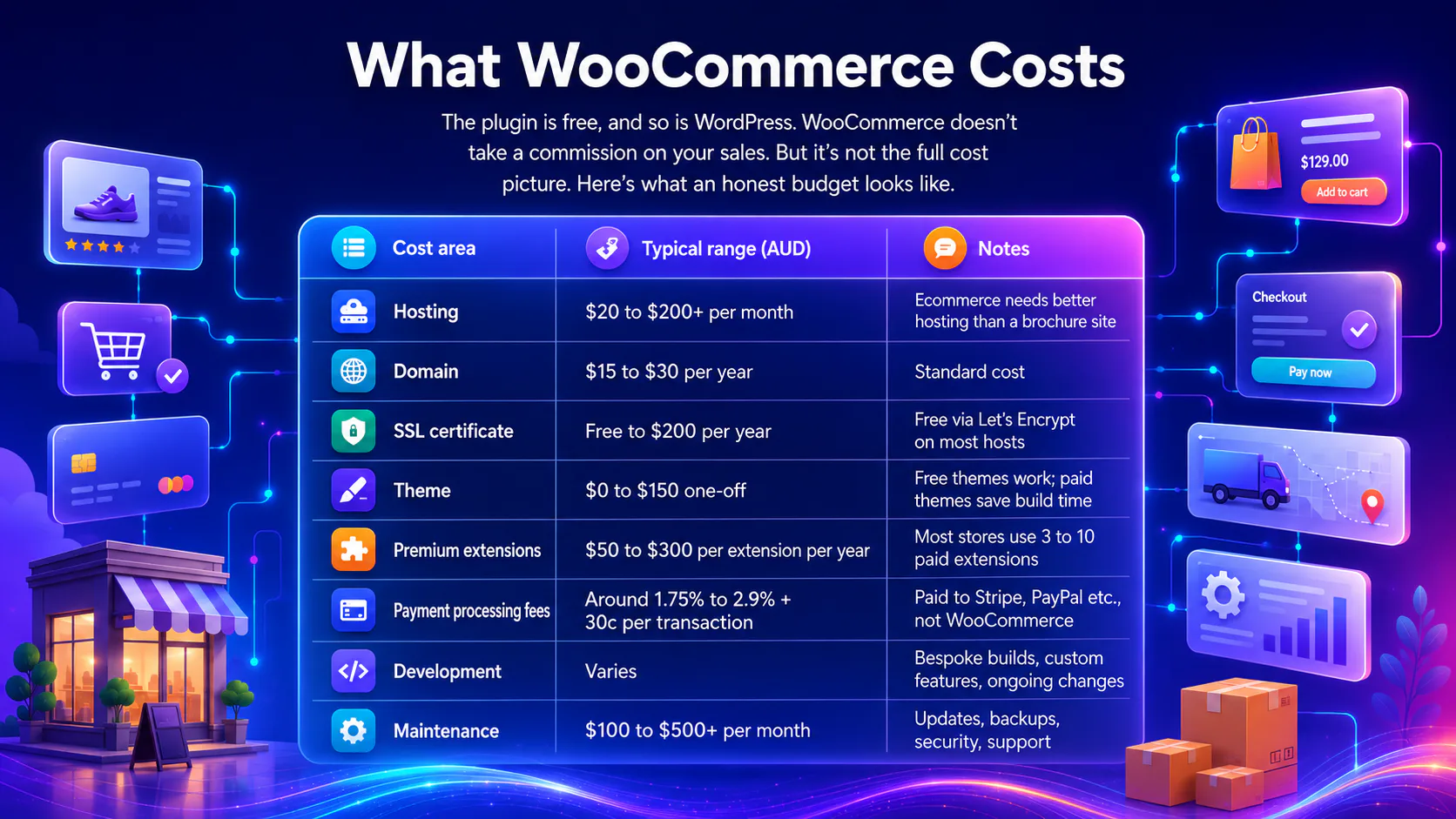
What WooCommerce Costs
The plugin is free, and so is WordPress. WooCommerce doesn’t take a commission on your sales. But it’s not the full cost picture. Here’s what an honest budget looks like.
| Cost area | Typical range (AUD) | Notes |
|---|---|---|
| Hosting | $20 to $200+ per month | Ecommerce needs better hosting than a brochure site |
| Domain | $15 to $30 per year | Standard cost |
| SSL certificate | Free to $200 per year | Free via Let’s Encrypt on most hosts |
| Theme | $0 to $150 one-off | Free themes work; paid themes save build time |
| Premium extensions | $50 to $300 per extension per year | Most stores use 3 to 10 paid extensions |
| Payment processing fees | Around 1.75% to 2.9% + 30c per transaction | Paid to Stripe, PayPal etc., not WooCommerce |
| Development | Varies | Bespoke builds, custom features, ongoing changes |
| Maintenance | $100 to $500+ per month | Updates, backups, security, support |
The plugin may be free, but a serious ecommerce site needs serious hosting, backups, a maintenance plan and someone capable on the technical side. Hosted platforms wrap those costs into a monthly fee. WooCommerce unbundles them, which means you can spend less if you’re careful and more if you’re not.
For most small to mid-sized stores, WooCommerce’s total cost of ownership is comparable to Shopify Basic or Advanced. The savings come from the extension fees you avoid, not the platform itself.
Hosting Matters More Than You Think
Because WooCommerce runs on your hosting, your hosting choice directly affects the store’s performance, reliability and security. Cheap shared hosting can technically run a small store, but checkout speed, uptime and the ability to handle traffic spikes will all suffer.
What good WooCommerce hosting looks like:
- Server resources sized for ecommerce, not a static blog
- Automatic daily backups, with off-site copies
- A staging environment for testing changes
- PHP, MySQL and WordPress kept on current versions
- SSL handled at the server level
- Support that understands WooCommerce specifically
Managed WordPress hosts like Kinsta, WP Engine and SiteGround all offer plans tailored for WooCommerce. There are good Australian providers in this space as well. The right host for you depends on traffic, catalogue size and how much technical work you want to manage yourself.
Security and Maintenance
A WooCommerce store handles money and customer data, which makes it a target. Security can’t be an afterthought. The basics that every WooCommerce store needs:
- WordPress core, theme and plugin updates applied promptly
- Strong admin passwords and two-factor authentication on every account
- A reputable security plugin or a managed security service
- Regular off-site backups
- An SSL certificate covering the entire site
- A reliable hosting environment
If you’re not confident running these yourself, this is where an ongoing support and maintenance arrangement earns its cost. The risk of a hacked store isn’t theoretical. Lost sales, breached customer data, blocklisting by Google, and the cost of recovery add up fast. Our article on what happens if your website gets hacked covers this in more detail.
Where WooCommerce Has Limits
A balanced view means naming the trade-offs.
You’re responsible for the whole stack
Shopify handles hosting, security, PCI compliance, payment infrastructure and platform updates for you. WooCommerce hands those responsibilities back. For an existing WordPress owner, that’s familiar. But for someone new to managing a website, it can be a lot.
Performance takes work
A clean WooCommerce store can be fast. A bloated one can be very slow. Page speed on WooCommerce is a build decision and a maintenance commitment, not an out-of-the-box feature.
Some functionality requires multiple extensions
Stitching together bookings, subscriptions, complex shipping rules and tax handling sometimes needs three or four extensions working together. Each has its own settings, updates and quirks. A hosted platform with native support for what you need can be simpler.
Migrations get harder over time
WooCommerce gives you full data ownership, which is a strength. But the more customisations you add, the more work it takes to move the store later if you ever need to.
Scale has a ceiling
WooCommerce can handle high-volume stores, but pushing it past certain traffic and catalogue sizes requires specialist hosting, careful caching and developer support. Most businesses never approach that ceiling. If yours is enterprise-scale, it’s a conversation worth having early.
Do You Need a WooCommerce Developer?
The honest answer. It depends on what you want.
You can install WooCommerce, pick a free theme, add products and start selling without writing any code. The setup wizard walks you through it. For a simple store with a small catalogue, that path works.
You’ll want a developer involved when:
- Your brand needs a custom-designed store, not a templated one
- You’re integrating with other systems like accounting, CRM or inventory tools
- You need bespoke functionality that no extension provides
- You’re migrating from another platform
- Performance, security or scale matter to your business
- You want a build that’s straightforward to maintain rather than a stack of overlapping plugins
A good WooCommerce development partner does more than write code. They make architecture decisions you’ll thank them for in two years’ time.
So, Is WooCommerce Right for You?
WooCommerce is a strong choice for an existing WordPress site owner who wants to add a store, control how it works and avoid platform fees on sales. It comes with real responsibilities around hosting, security and maintenance, and it rewards careful build decisions over piling on plugins.
The trade-off is control versus convenience. If you want control and you’re comfortable with the technical side or have someone who is, WooCommerce is hard to beat. A hosted platform may suit you better if you want a turn-key experience and don’t want to think about hosting.
Weighing WooCommerce for your business and want a clear opinion based on your situation? That’s the kind of conversation we like having.