Google Ads for business comes down to one idea. You pay to put your brand in front of people who are already looking for what you sell, or who fit the profile of someone likely to buy. Done well, it brings in qualified traffic within days. Done badly, it quietly drains your budget while you wonder why the phone isn’t ringing.
This post walks through how the platform works, the five main ad types and what each one is good for, the targeting controls that actually matter, and how to tell if your spend is paying back. If you’re starting from scratch or trying to make sense of an account that’s already running, you’ll find what you need here. For the full picture on how we approach paid advertising, the service page covers the work itself.
What Google Ads Is, and What It’s Actually Doing for You
Google Ads is Google’s advertising platform, formerly called AdWords. It places your ads across Google Search, YouTube, Gmail, Google Maps and a network of partner sites. It works by running an auction every time someone searches or loads a page in the network. Your bid, your ad quality and your relevance to that user decide whether your ad shows and where it sits.
For most businesses, that means three things. You can appear in front of people right when they’re searching for your product or service. You can do it on a pay-per-click basis, so you’re only paying when someone takes an interest. And you can measure almost everything that happens after the click.
That last point is what separates Google Ads from most other forms of paid media. You’re not buying eyeballs and hoping. You’re buying outcomes you can track.
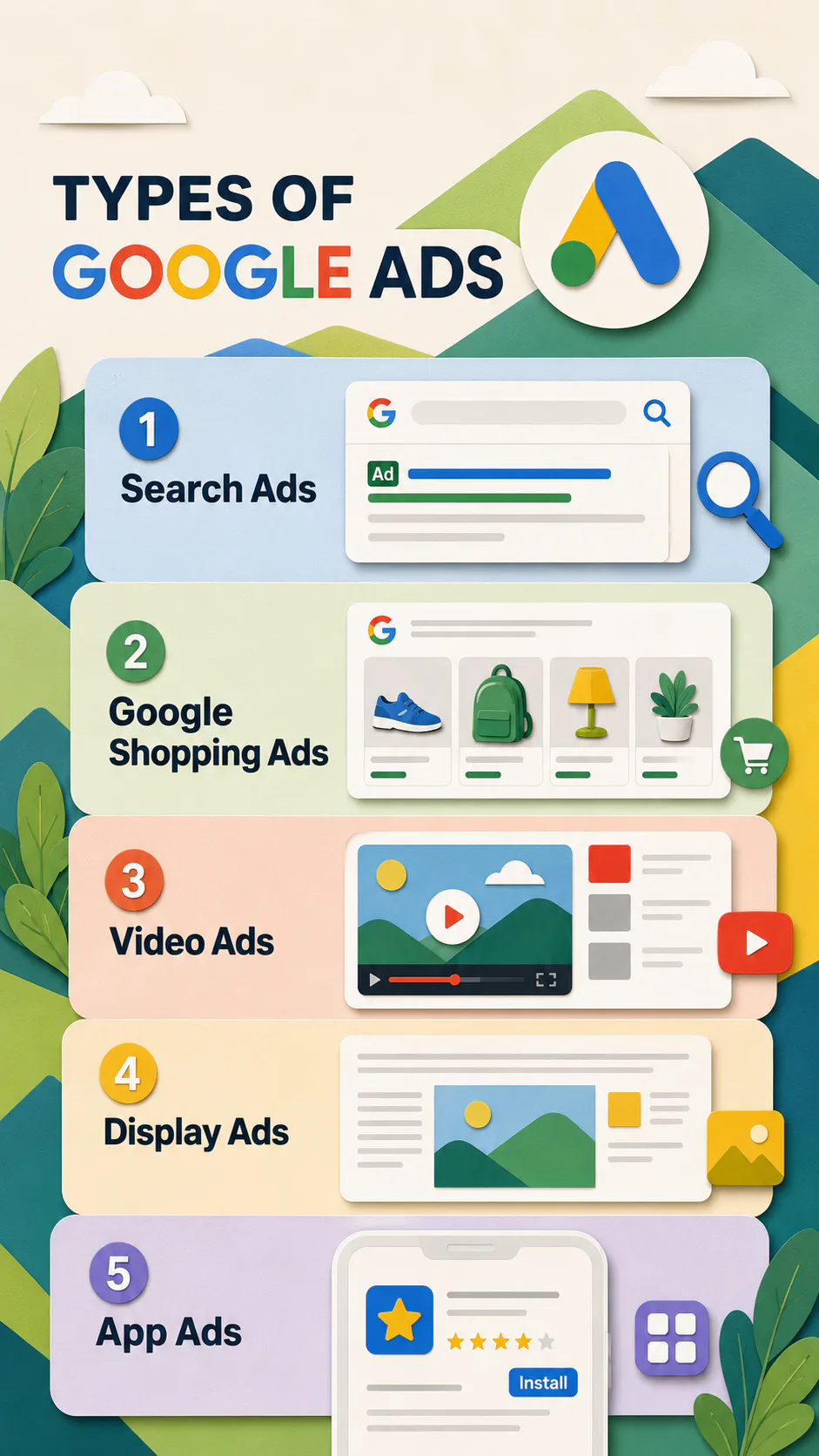
The Five Main Ad Types
Google offers a handful of campaign types. Five cover the vast majority of business use cases.
Search Ads
Search ads are the text-based listings you see at the top and bottom of a Google results page, marked “Sponsored.” They include a headline, a short description and a link to a specific page on your site.
These are the workhorses of Google Ads. They target users with high intent, meaning the person searching has already decided they want something and is looking for who can provide it. You only pay when someone clicks. That’s why search ads tend to deliver the most measurable returns for service businesses, B2B and lead generation.
Best for generating qualified leads, promoting time-sensitive offers, and driving sales enquiries.
Shopping Ads
Shopping ads are the product listings that appear at the top of search results and across the Shopping tab. Each one shows a product image, a name, a price and your business name. They pull this information from a product feed connected to a Google Merchant Center account.
If you sell physical products online, Shopping ads are usually where your budget works hardest. Because the user can see the price before clicking, you tend to get fewer wasted clicks and a clearer pipeline to the sale.
Best for ecommerce businesses selling physical goods.
Video Ads
Video ads run on YouTube and across Google’s video partner network. They come in several formats, from skippable in-stream ads that play before a video, to short non-skippable bumper ads, to in-feed ads that appear in YouTube search and recommendations.
Video is a different conversation from search. Nobody on YouTube is in the middle of buying something. They’re watching, learning, and being entertained. So video ads earn their keep on awareness, storytelling and remarketing rather than direct response.
Best for building brand awareness, re-engaging past visitors, and promoting events, launches or seasonal campaigns.
Display Ads
Display ads are the image-based banners that appear on millions of websites in the Google Display Network, plus apps and Gmail. You can target by audience interest, demographics, topic, or even nominate specific sites where you want to appear.
Display is softer than search. The user wasn’t looking for you. They were reading something else, and your ad showed up beside it. That makes it useful for awareness and remarketing, but less useful as a lead-generation engine on its own.
Best for awareness, remarketing to past visitors, and reaching audiences who fit your customer profile but aren’t actively searching yet.
App Ads
App ads promote a mobile app across Search, YouTube, Google Play and the Display Network. The campaign is largely automated. You set the goal (installs, in-app actions, pre-registrations), provide creative assets, and Google handles placement and optimisation.
Best for driving app installs, getting existing users to take action inside the app, or building a pre-launch list on Android.
Beyond these five, you’ll come across Performance Max, Demand Gen and Smart campaigns. These automate placements across multiple networks and lean heavily on Google’s machine learning. They can work, but they give you less control and less visibility into what’s actually driving results. Worth testing once you have a baseline. Not the place to start.
How Targeting Actually Works
The reason Google Ads keeps showing up in marketing budgets is targeting. You’re not broadcasting to everyone. You’re choosing who sees your ad with reasonable precision.
For search and shopping campaigns, the primary control is keywords. You bid on the search terms you want to appear for, set match types to control how loosely Google interprets them, and add negative keywords to block searches you don’t want.
Across all campaign types, you also have:
- Geographic targeting. Country, state, city, or a custom radius around a physical location. Useful for any business that serves a defined area.
- Demographic targeting. Age, gender, parental status and household income brackets.
- Audience targeting. In-market audiences (people actively researching a category), affinity audiences (broader interest groups), remarketing lists (people who’ve visited your site or watched your videos) and customer match (your own email lists uploaded to Google).
- Device targeting. Desktop, tablet, mobile, or specific operating systems.
When accounts underperform, the cause is usually upstream of the ads themselves. Loose targeting, missing negative keywords, or campaigns left on autopilot for months without review will quietly burn budget regardless of how well the ads are written.
What It Costs
Google Ads runs on an auction. There’s no fixed price for a click or an impression. What you pay depends on how competitive your industry is, how relevant your ad is to the search, and how much you’re willing to bid.
Cost-per-click can range from under a dollar for niche local searches to over fifty dollars for competitive legal or finance terms. The platform doesn’t have a minimum spend. You can start at twenty dollars a day and scale from there.
The bigger question isn’t what a click costs. It’s what a customer costs. A two-dollar click on a campaign that converts at 5% means you’re paying forty dollars per lead before any creative or management costs. Whether that’s a good number depends entirely on what a customer is worth to your business.
This is where most accounts get stuck. They optimise for cheap clicks instead of profitable customers.
Why Does Google Ads Work for Some Businesses and Not Others?
Three things separate accounts that work from accounts that don’t.
The first is intent. If your customers search for what you sell, search ads will work. If they don’t, you’re forcing the channel, and a different platform might suit you better.
The second is the landing page. The ad gets the click. The page closes the deal. A campaign sending traffic to a slow, generic homepage will lose money no matter how well the ads are written. This is where conversion optimisation earns its keep, and why we treat the page and the ad as one piece of work, not two.
The third is measurement. If you can’t see which keywords drive enquiries, you can’t optimise. Conversion tracking, properly set up alongside your broader data analytics setup, is the difference between making decisions and guessing.
Get those three right, and Google Ads becomes one of the most predictable growth channels available. Get them wrong, and it becomes an expensive lesson.
Measuring What Matters
Google Ads gives you more data than you’ll ever use. The metrics that actually matter:
- Conversions. The number of meaningful actions taken (form submissions, calls, purchases). The only metric that ties spend to outcomes.
- Cost per conversion. What you’re paying for each lead or sale. Compare this to what a customer is worth to you.
- Conversion rate. The percentage of clicks that turn into conversions. Tells you whether your landing page is doing its job.
- Return on ad spend (ROAS). Revenue divided by ad spend. The headline number for ecommerce.
- Click-through rate (CTR). The percentage of people who saw your ad and clicked. Useful as a relative measure of ad relevance.
Impressions and clicks matter, but only as inputs. Don’t celebrate a campaign that gets a million impressions and three leads.
Getting Started Sensibly
If you’re new to Google Ads for business, the temptation is to launch big and see what sticks. Don’t. The platform rewards a tighter approach.
Start with one campaign type, usually search, on a defined product or service line. Set up conversion tracking before you spend a dollar. Write at least three ad variations so you can compare. Use a landing page that’s specific to the offer in the ad, not a generic homepage. Run for at least two to four weeks before drawing conclusions.
Then look at what worked and pause what didn’t. Add the budget where the numbers say to.
What to Do Next
Google Ads for business works when the strategy, the targeting and the landing experience all line up. It’s not a set-and-forget channel, and it punishes accounts that are run on autopilot. But for businesses with something worth searching for, it’s still one of the most direct paths from “interested stranger” to “paying customer” available.
If you’re starting from scratch, start small, measure properly and scale what works. If you’ve got an account already running and the numbers don’t add up, the answer is almost always in the data, not the creative.
Make your ad spend count. Let’s talk paid advertising.