Your ad gets the click. Your landing page has to do the rest. If it doesn’t, every dollar you spent getting that visitor there is gone.
Google Ads landing pages are where the cost of advertising either pays for itself or doesn’t. With pay-per-click, you’re not buying impressions or attention. You’re buying one specific person, one specific visit, one specific chance to convert. The page that catches them needs the same care as the ad that sent them.
What makes a Google Ads landing page work? Structure, content, design, trust signals, and the small fixes that often deliver the biggest gains. Each of those is a lever, and most underperforming pages have at least two of them working against the campaign.
What Is a Google Ads Landing Page?
A Google Ads landing page is a standalone web page built to receive traffic from a specific ad. It works by matching the promise of the ad to a single, focused action, whether that’s a form fill, a booking, a download or a sale.
It’s not your homepage. Not your services page. This is a page built for one job, with no distractions pulling the visitor away from it.
Why the Landing Page Decides Your Campaign
In our experience, many underperforming Google Ads campaigns aren’t ad problems but landing page problems.
The ad gets the click. The page gets the conversion. If the page doesn’t deliver, your cost per acquisition climbs, your Quality Score drops, and your ads cost more to run. Google’s algorithm rewards relevance between the ad, the keyword and the page. A weak landing page makes every part of the campaign work harder for less.
You can have the sharpest ad copy in your industry. Without a page that converts, you’re paying for traffic you can’t keep.
Start With the Purpose of the Page
Before any design or copy, work out what the page is for. One page, one job.
Are you generating leads? Booking demos? Selling a product? Promoting an event? The answer shapes every decision that follows, from the headline down to the button label.
A page trying to do three things will do all of them badly. If your campaign has multiple goals, build multiple pages.
Know Who You’re Talking To
Mixed audiences make for mixed messages. Before you write a word, get specific about who the page is for.
What problem are they trying to solve? Where are they stuck right now? What would make this an easy yes? The clearer your picture of the reader, the easier the page is to write, and the more likely it is to land.
This matters for Google Ads. Search intent is high. People are looking for something specific. Your page either answers what they came for, or they’re gone.
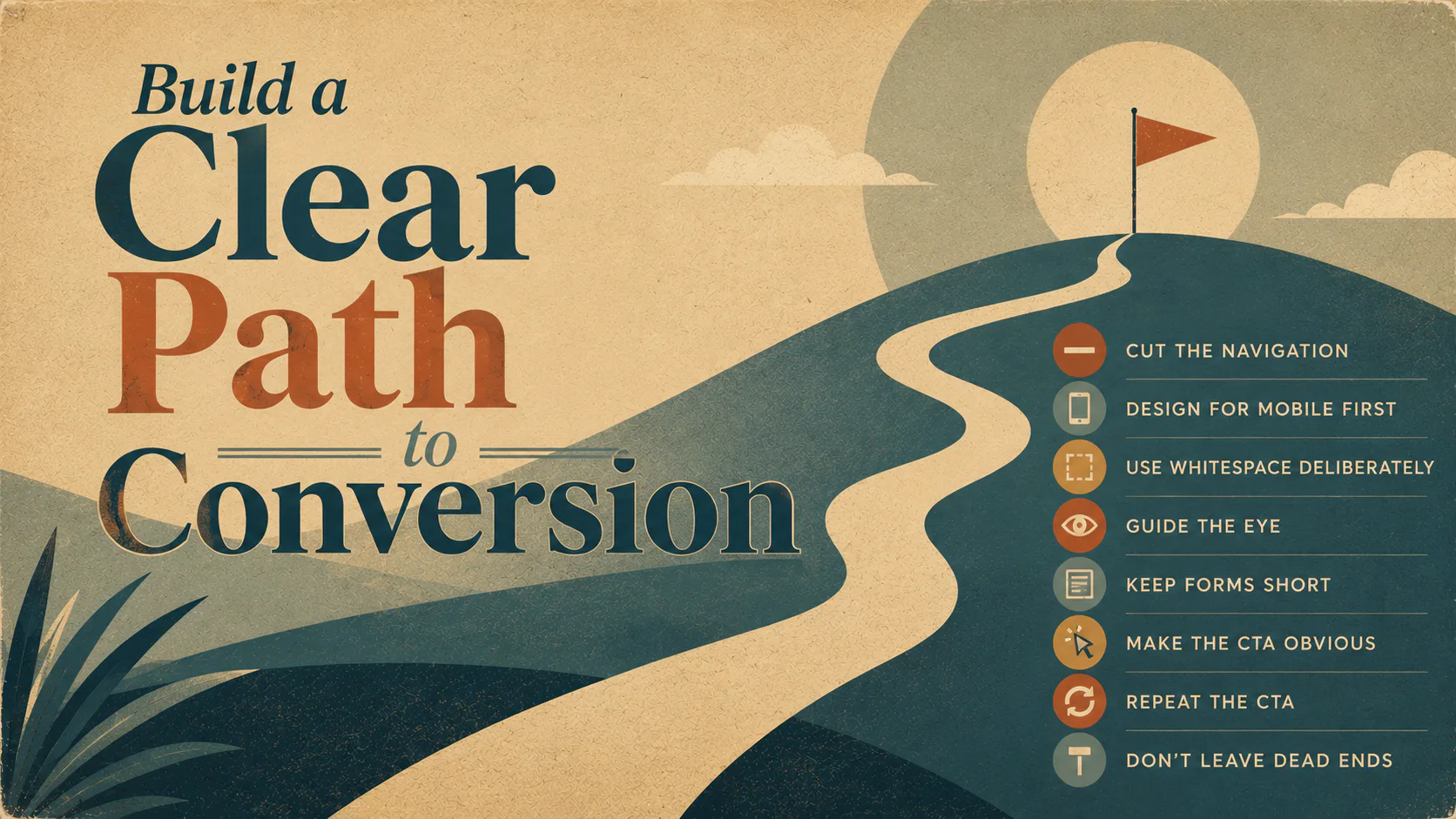
Build a Clear Path to Conversion
Good landing page design isn’t about looking impressive. It’s about removing friction. Every element on the page either moves the visitor closer to the action or gets in the way.
A few things that matter.
- Cut the navigation. Headers, menus, and footer links. Anywhere a visitor can click off the page is a leak. Strip them back to the essentials.
- Design for mobile first. Most Google Ads clicks happen on phones. If the page isn’t fast and clean on a small screen, the campaign suffers.
- Use whitespace deliberately. Cramped layouts make pages harder to read. Give each section room.
- Guide the eye. Spacing, hierarchy and visual cues should pull attention toward the conversion point.
- Keep forms short. Ask only what you need. Every extra field reduces completion rates.
- Make the CTA obvious. Big enough to tap, styled to stand out, placed where the eye naturally lands.
- Repeat the CTA. Once at the top, once after the key benefits, once near the bottom. If someone is ready to act, give them somewhere to do it.
- Don’t leave dead ends. If a visitor scrolls all the way down, they should still have a way to convert.
Write Copy That Connects to the Ad
Copy is where most Google Ads landing pages fall flat. If the ad promises one thing, then the page talks about another, the visitor’s confidence drops in the first three seconds.
Match the headline to the ad. If someone clicked on an ad about “fast Brisbane plumbers,” the headline shouldn’t say “Welcome to our website.” It should say “Fast Brisbane Plumbers.”
A few rules for the body copy.
- Lead with what the visitor gets, not what you do.
- Keep it plain. Cut the jargon, cut the filler.
- Speak to the actual reason someone clicked. Their problem, their goal, their hesitation.
- Make the CTA specific. “Get the free guide” or “Book my demo” tells the visitor what happens next. “Submit” doesn’t.
Use Visuals to Support the Message
Visuals on a Google Ads landing page should do work, not fill space. Every image, video or graphic should help the visitor understand the offer faster.
What tends to work.
- Real product photography over generic stock
- Short demo videos that show the thing in use
- Diagrams or infographics when you’re explaining a process
- Charts when the data is the proof
- Light, purposeful animation to draw attention to key elements
Whatever you use, three things are non-negotiable. The visuals have to be relevant, they have to be optimised so they don’t slow the page down, and they have to look right on mobile. A page that takes five seconds to load on a phone has already lost most of its visitors.
Alt text matters too. Accessibility for screen reader users, plus small wins for SEO.
Speed and Search Visibility Still Matter
Even if your traffic is coming from paid ads, the page still needs to perform technically.
Page speed affects Quality Score directly. A slow Google Ads landing page costs you twice. Once in higher click costs, once in lost conversions. Compress your images, clean up the code, and audit anything that’s loading and shouldn’t be.
Keywords matter too, even on a paid traffic page. Use them naturally in the headline, the body and the meta. This isn’t just for search rankings. It tells Google the page is relevant to the keyword you’re bidding on, which lifts your Quality Score and lowers your cost per click.
Build Trust Before You Ask for the Action
Most visitors arrive sceptical. They’ve never met you, they’ve been burned by other ads, and they’re one click away from leaving. Trust signals close that gap.
Things that help.
- Testimonials from real customers, with names and ideally photos
- Logos of clients or partners, if you have permission to use them
- Reviews and ratings, especially with a number attached
- Security badges, privacy notes and guarantees where they fit
- Visible contact information, even if you don’t expect direct outreach
The point isn’t to plaster the page with social proof. It’s to give the visitor a few reasons to believe you before you ask them for anything.
Personalise Where You Can
If your platform supports it, dynamic content can lift conversion rates noticeably. Match the headline to the keyword the ad was triggered by. Tailor messaging by location if you’re running regional campaigns. Switch out offers based on the audience segment.
This isn’t always worth the setup time for smaller campaigns. But for accounts running multiple ad groups against different keywords or audiences, it’s often the difference between a page that works and one that almost works.
Test, Measure, Refine
No Google Ads landing page is finished when it goes live. The best ones are the ones that have been tested into shape.
Run A/B tests on the things that matter most. The headline, the CTA, the form length, the hero image. Change one thing at a time so you know what made the difference.
Watch the right metrics. Bounce rate tells you if the page matches the ad. Time on page tells you if the content is holding attention. Conversion rate is the one that actually counts.
When something isn’t working, change it. When something is working, leave it alone and test the next thing. Conversion optimisation is a habit, not a project.
Stay Inside Google’s Rules
Google has specific policies around landing page quality, and breaking them gets your ads disapproved or your costs hiked.
The basics.
- The page loads properly across browsers and devices
- The URL in the ad matches the URL of the page
- The page is crawlable by Google AdsBot
- The content delivers on what the ad promised
- The page offers genuine value, not just a thin shell
None of this is optional. Google’s Quality Score factors all of it in, and a low Quality Score means you pay more for every click.
Don’t Forget the Thank You Page
The conversion isn’t the end. The thank you page is a chance to confirm the action, set expectations, and keep the relationship moving.
Tell the visitor exactly what happens next. If you’re sending a download, say so. If someone calls them, say when. Offer a logical next step. A related resource, a calendar link, or a piece of content that builds on the action they just took.
The thank you page is also where conversion tracking fires. Don’t skip the technical setup; it’s how you’ll know what’s actually working.
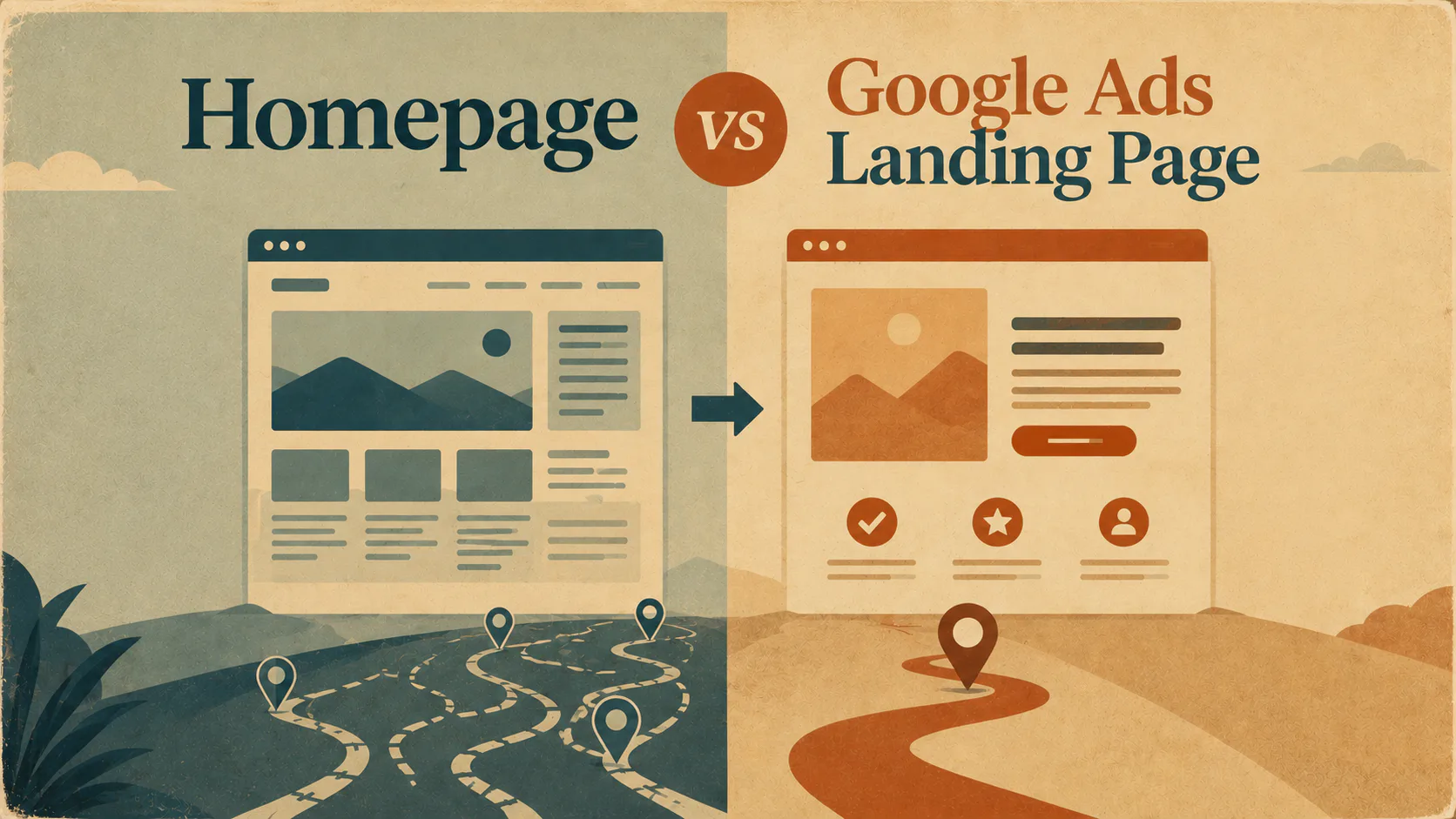
Homepage vs Google Ads Landing Page
A common mistake is sending Google Ads traffic to the homepage. They serve different jobs.
| Element | Homepage | Spread across the site |
|---|---|---|
| Purpose | Introduce the whole business | One specific conversion |
| Navigation | Full menu | Minimal or none |
| Audience | Mixed | One segment, one intent |
| Copy | Broad overview | Matches a specific ad |
| CTAs | Multiple | One, repeated |
| Trust signals | Spread across site | Concentrated on the page |
| Tracking | General analytics | Conversion-focused |
If you’re running paid traffic to your homepage, you’re paying premium prices for traffic that has to work harder to find what it came for. Build the page that meets the ad.
Where to Next
If your Google Ads are getting clicks but not converting, the landing page is the first place to look. Fix the page before you change the ad. Most campaigns we audit at Mettro have more upside in the landing page than in the targeting or the creative.
Start with one page. Get the structure right, the copy tight, the trust signals in. Test, refine, repeat. Let’s talk paid advertising.