Optimising Google Ads for conversions means doing four things consistently. Track the right actions, feed the campaign clean data, cut what isn’t working, and double down on what is. Most accounts that underperform aren’t broken at the platform level. They’re under-managed, badly tracked, or pointed at the wrong landing page.
Why Paid Search Is Worth the Investment
Paid search reaches people who are already looking. Someone types “commercial cleaners Brisbane” into Google, and within seconds, your ad can be in front of them. Social ads interrupt while search ads answer.
For businesses new to digital advertising, this is usually the fastest path to measurable results. You’re not building demand from scratch but catching demand that already exists and pointing it at your offer. Done well, the feedback loop is short. You’ll know within a week or two whether your message, your keywords and your landing page are pulling their weight.
That short feedback loop is also the trap. Quick data tempts people to make quick changes, and quick changes on a young account usually make things worse. More on that further down.
What Counts as a Conversion?
A conversion is any meaningful action a user takes after clicking your ad. It works by tracking a defined event, a purchase, a form submission, a phone call, a booking, and attributing that event back to the click that triggered it.
What counts as meaningful depends on your business. For ecommerce, it’s almost always a sale. A lead form, a phone call, or a booked consultation usually works for service businesses. For longer sales cycles, a downloaded guide or newsletter signup might count, because that’s where the real journey starts.
Pick conversions that map to revenue. “Page views” and “time on site” feel like progress, but they don’t pay invoices.
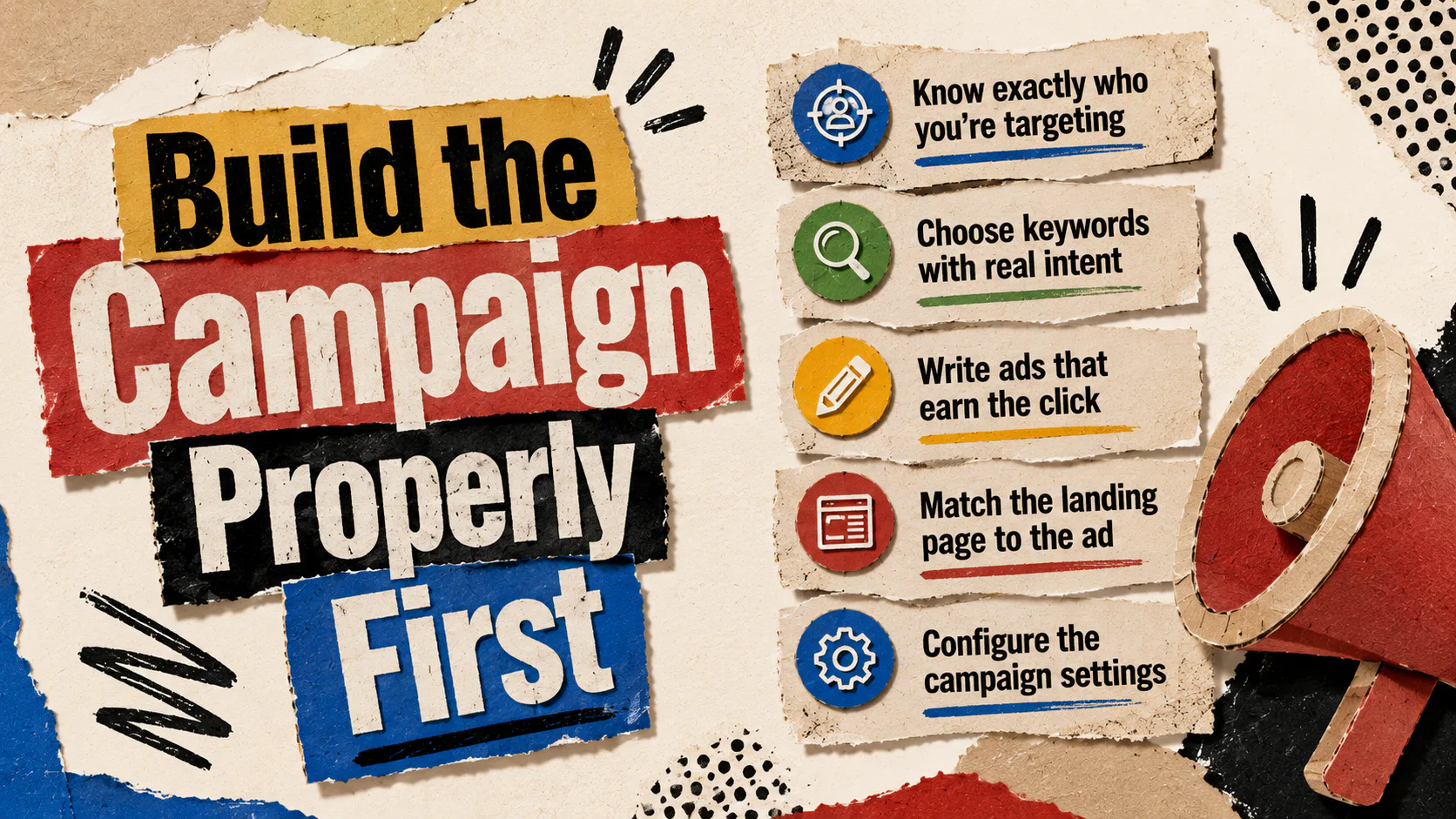
Build the Campaign Properly First
Optimisation can’t save a campaign that was poorly built. Before tuning anything, the foundations need to be right.
Know exactly who you’re targeting
Your ideal customer profile shapes everything that follows. Three things matter most. Demographics and location, because they tell Google where to spend your money. Buying behaviour, because it tells you when and how they search. Pain points and motivations, because they tell you what to say in the ad.
Vague targeting produces vague results. “Small businesses in Australia” is not a target. “Trade businesses in South East Queensland, turning over $1M to $5M, who need a new website” is.
Choose keywords with real intent
Not all searches are equal. Someone searching “what is paid advertising” is reading while someone searching “Google Ads agency Brisbane” is buying. Bid on the second one.
A few rules that hold up in most accounts:
- Use Google Keyword Planner or Semrush to find what your audience is actually typing.
- Favour high-intent commercial keywords over informational ones, especially when budgets are tight.
- Build out long-tail variations. They cost less, convert better, and face less competition.
Write ads that earn the click
Strong ad copy does three things. It speaks to the searcher’s intent, makes a specific promise, and tells the reader what to do next. “Quality services for your business” is not ad copy. It’s filler.
Lead with what you do, who it’s for, and what’s different. End with a clear call to action that matches the offer. If the ad says “Get a Quote,” the landing page button should say the same thing.
Match the landing page to the ad
Sending paid traffic to a generic homepage is one of the most common ways to waste budget. The page someone lands on should continue the conversation the ad started.
A landing page that converts will usually:
- Echo the headline and offer from the ad
- Load fast and work on mobile without thinking
- Show one clear action above the fold
- Include trust signals like reviews, certifications or recognisable client logos
Configure the campaign settings
Once the keywords, ads and landing pages are ready, the campaign settings determine where the budget actually goes.
A short checklist:
- Load the keywords from your research, grouped by theme, not lumped together
- Add negative keywords to block wasted clicks (terms like “jobs,” “free,” “DIY,” or locations you don’t service)
- Set a daily budget you can actually evaluate after two weeks of data
- Set location targeting to the areas you serve, nothing wider
- Layer audience signals (interests, behaviours, demographics) if your account has the data to support them
Set Up Conversion Tracking Before You Spend a Cent
Conversion tracking is not optional. Without it, every optimisation decision is a guess. It’s Google Ads’ built-in measurement system. It works by recording defined user actions (purchases, signups, form submissions, calls) and attributing them back to the ads that drove them.
Set this up before the campaign goes live, not after. Once it’s running, you’ll be able to:
- See which keywords, ads and audiences are actually producing conversions, not just clicks
- Understand your real return on investment, by campaign
- Use smart bidding strategies like Target CPA or Target ROAS (Return on Ad Spend), which need conversion data to work
- Track multi-step and cross-device journeys, so you don’t miss conversions that span a phone and a laptop
Tracking call conversions, form submissions and ecommerce purchases each requires a slightly different setup. If you’ve inherited an account, audit the tracking before you trust the numbers. Misconfigured conversion tracking is one of the most common problems Mettro finds when reviewing existing campaigns.
How to Optimise Google Ads for Conversions Once the Campaign Is Live
Optimisation is not “fiddling with the account.” It’s a structured cycle. Look at the data, find the signal, make one change, give it time, measure the result.
The metrics that actually matter
You don’t need to watch everything. You need to watch the right things.
| Metric | What it tells you | When to act |
|---|---|---|
| Click-through rate (CTR) | How compelling your ad is to people who see it | Low CTR means your ad copy or keyword match is off |
| Conversion rate | How well your clicks turn into action | High CTR with low conversion points to the landing page or offer |
| Cost per acquisition (CPA) | What each conversion is costing you | Rising CPA usually means audience drift or bid issues |
| Return on ad spend (ROAS) | Revenue earned per dollar spent | The most important number for ecommerce |
| Quality Score | Google’s view of your relevance | Low scores raise your costs and hurt visibility |
| Search Terms Report | The actual queries triggering your ads | Mine this weekly for negatives and new keyword ideas |
Look at these together, not in isolation. CTR alone tells you almost nothing. CTR plus conversion rate tells a story.
Refine your targeting
Targeting is the cheapest lever in the account. Tightening it usually drops the cost per conversion fast. A few moves that pay off:
- Pull the location report. If half the suburbs aren’t converting, exclude them or lower bids.
- Check the time-of-day report. Most service businesses see conversions cluster in specific windows. Spend more there, less elsewhere.
- Look at device performance separately. Mobile and desktop often behave nothing alike.
- Use audience insights to see which segments convert, then bias the budget toward them.
Sharpen your keywords
The Search Terms Report is the single most useful document in the account. It shows what people actually typed to trigger your ads, which is rarely what you think it’ll be.
Weekly, work through it and do four things:
- Add high-performing exact and phrase match versions of converting queries
- Add irrelevant terms to your negative keyword list
- Pause keywords that get clicks but no conversions after meaningful data
- Add long-tail variations that show specific buying intent
Test ad copy with purpose
Ad copy testing isn’t about running ten variations and hoping. Test one variable at a time. Headline against headline. Description against description. CTA against CTA.
Two patterns to watch for:
- High CTR, low conversion. The ad is over-promising or aimed at the wrong intent.
- Low CTR. The headline doesn’t match what people searched for, or the offer isn’t competitive.
Manage bids and budget where they work
Budget should follow performance, not feeling.
- Push more budget toward keywords and campaigns that consistently convert
- Lower bids or pause keywords that drive clicks but no conversions
- Once you have enough conversion volume (Google generally suggests at least 30 conversions in 30 days), test smart bidding strategies like Target CPA or Target ROAS
- Resist the urge to overhaul a campaign every week. Most changes need 7 to 14 days to produce reliable data
Fix the landing page
If your ads are getting clicks but not conversions, the problem is almost always after the click. Common culprits include slow load times, mobile layout issues, weak headlines, unclear CTAs, or a mismatch between what the ad promised and what the page delivers.
Use Google Analytics to find where users drop off, then A/B test the fix. Headlines and CTAs usually move the numbers the most. A faster, clearer landing page often outperforms a bigger ad budget
Your Next Move
Google Ads rewards businesses that build the campaign properly, track the right conversions, and tune the account on real data. Most of the work is unglamorous. Reading the Search Terms Report. Adjusting bids. Cleaning up landing pages. The accounts that win are the ones where someone does that work, week after week.
If you’d rather have someone do that work for you, that’s what Mettro’s does. We build, manage and optimise Google Ads campaigns for businesses across Australia, with a focus on the conversions that move the business, not the vanity metrics that don’t.